
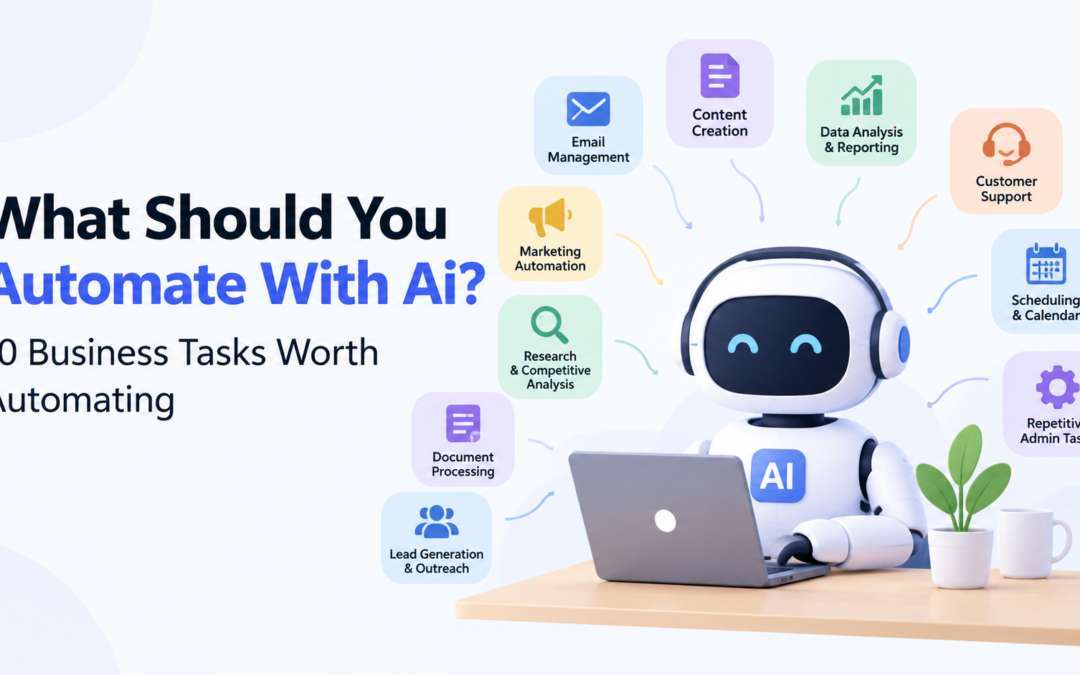
AI can write an email in seconds, summarize a meeting, classify a customer request, extract information from a document, and move data between different apps.
But there is a problem with the way AI automation is often presented.
Just because something can be automated does not mean it should be automated.
A small business can easily spend more time building an impressive automation than it would have spent doing the original task manually. And if the process is badly designed, AI simply makes the bad process run faster.
The better question is not “What can AI automate?”
It is:
“What repetitive work is actually worth taking off my plate?”
For most businesses, the answer starts with small, boring tasks that happen every day or every week.
Here are 10 practical examples worth considering in 2026.
Email Triage and Routine Replies
Email is one of the easiest places to find repetitive work.
Think about messages such as:
“Where is my order?”
“Can you send me the price list?”
“What are your opening hours?”
“Can we schedule a call?”
These messages do not necessarily require someone to start from scratch.
AI can classify incoming emails, identify urgent messages, extract useful information, suggest replies, and, in some cases, send predefined responses.
The important distinction is between suggesting and sending.
For routine questions with predictable answers, automation can make sense. For complaints, unusual requests, negotiations, or sensitive customer issues, keeping a person involved is much safer.
A simple setup is often enough: let AI sort the inbox and prepare responses, then have a human approve anything outside clearly defined rules.
Meeting Notes and Follow-Up Actions
Meetings create another type of work that nobody particularly enjoys: dealing with everything afterward.
Someone has to take notes, identify decisions, write down action items, and send a follow-up.
AI meeting assistants can handle much of this administrative work.
Instead of spending 20 minutes after every meeting turning notes into something useful, you can have AI produce a summary, identify decisions, and create a list of tasks for review.
The review still matters. A meeting summary can sound convincing while misunderstanding an important detail.
The goal is not to eliminate people from the process. It is to eliminate the boring administrative work around the meeting.
Turning Documents Into Usable Information
Businesses accumulate documents quickly.
PDFs, proposals, contracts, reports, manuals, and internal procedures can become difficult to search through manually.
AI can help extract information, summarize long documents, compare files, and identify relevant sections.
Imagine receiving dozens of similar documents every week and having someone open each one just to find the same five pieces of information. That is exactly the kind of repetitive work worth examining.
For legal, financial, contractual, or otherwise sensitive information, however, the original document still matters. AI should assist with the work, not automatically become the final authority.
Customer Support Triage
Not every support request deserves the same level of attention.
One customer may have a simple password question. Another may report a serious billing problem.
AI can classify incoming requests, detect urgent language, identify existing customers, and route conversations to the appropriate person.
This is often more useful than trying to make AI answer everything.
The automation does the sorting.
The support team handles the important part.
That division of labor can be particularly useful for smaller businesses without a large customer service department.
Lead Qualification
Sales teams often spend time talking to leads that were never a good fit in the first place.
AI can help with the initial qualification process by organizing information from forms, emails, or chat conversations.
A workflow might identify a prospect’s company size, requirements, location, or intended use and place the lead into a category for further review.
The important point is that the business should define what makes a lead relevant. AI should help apply those rules rather than inventing them.
The salesperson can then spend more time on conversations that actually require human judgment.
First Drafts of Repetitive Content
AI is particularly useful when the hardest part of writing something is simply getting started.
Businesses regularly create product descriptions, internal announcements, email drafts, meeting follow-ups, job descriptions, and social media content.
AI can produce a first version quickly.
But there is a big difference between “AI wrote it” and “the business published it.”
A first draft still needs to be checked for facts, tone, context, and accuracy.
The real productivity gain comes from changing the process from “write everything from zero” to “review, correct, and improve a useful starting point.”
Recurring Reports and Summaries
Weekly and monthly reports are good automation candidates because they often follow the same structure.
A business might collect information from analytics software, spreadsheets, a CRM, and project management tools every week.
An automation can gather the data and prepare a summary, while AI can turn the raw information into something easier to understand.
For example, it could highlight what changed, which numbers moved, which projects are behind schedule, and which customer issues remain unresolved.
People still need to check the information and decide what actually matters. The point is to start with an organized summary rather than a pile of disconnected numbers.
Scheduling, Reminders, and Follow-Ups
Some of the easiest tasks to automate are also the easiest to overlook.
Sending a reminder, following up with a prospect, confirming an appointment, creating a recurring task, or checking whether an invoice needs attention are not difficult jobs.
They are simply easy to forget.
That makes them good automation candidates.
If a task happens regularly, follows predictable conditions, and requires little judgment, automation is worth considering. The more exceptions there are, the more carefully the workflow should be designed.
Repetitive Spreadsheet Work
Spreadsheets are still everywhere in business, and many companies use them for repetitive work that could be handled more efficiently.
AI-assisted automation can help clean data, classify rows, identify duplicates, extract information, summarize datasets, and move information between systems.
Imagine receiving the same spreadsheet every Friday and spending 45 minutes cleaning it before anyone can use it.
That is not really a spreadsheet problem anymore. It is a process problem.
Start with a small, low-risk dataset, test the workflow, and expand it only when the results are reliable.
Searching Internal Knowledge
One of the most frustrating problems in a growing business is knowing that an answer exists somewhere but not knowing where.
Maybe it is in an old PDF. Maybe someone explained it in an email. Maybe the information is buried in a project document.
AI-powered internal search can make this information easier to find by allowing employees to ask questions in normal language instead of remembering exact filenames or folders.
It can be particularly valuable for businesses with lots of documentation.
But the quality of the result still depends on the quality of the information behind it. If the documentation is outdated, AI cannot magically make it correct.
What Should You Automate First?
If you are wondering where to begin, do not start by choosing an AI tool.
Start with the task.
Ask five simple questions:
Does this happen regularly?
Does it follow roughly the same process each time?
Does it consume meaningful time?
Is the cost of a mistake relatively low?
Can a person easily review the result?
If the answer is yes to most of these questions, you may have found a good automation candidate.
You can also calculate the potential value.
If a task takes 20 minutes and happens 15 times per week, that is five hours of work every week. Even cutting that workload in half gives the business more than two hours back every week.
That is a much better reason to automate something than simply saying, “We should use AI.”
For a broader framework for deciding which processes actually deserve automation, see:
https://tooldirection.com/what-should-you-automate-with-ai/
The Biggest Mistake: Automating a Bad Process
There is a temptation to automate a process as soon as it becomes repetitive.
Sometimes that is exactly the wrong thing to do.
Suppose employees copy information from one spreadsheet into another, manually check it, send an email, wait for a response, and then update a third system.
You could build an impressive AI workflow around all of it.
But perhaps the third system is unnecessary. Perhaps the spreadsheet should not exist anymore. Perhaps the information could come directly from the original source.
Automation can hide these problems instead of solving them.
Before automating a process, ask:
“Why are we doing it this way?”
Sometimes the best automation is deleting a step rather than automating it.
AI Automation Still Needs Human Oversight
AI systems can misunderstand instructions, produce incorrect information, miss context, or confidently generate an answer that sounds reasonable but is wrong.
That does not make AI automation useless. It means the workflow needs to match the level of risk involved.
For a low-risk task such as organizing internal notes, a small error may be easy to correct.
For a customer refund, legal document, financial decision, or sensitive business information, the consequences of an error can be very different.
The National Institute of Standards and Technology (NIST) addresses AI risk management through its AI Risk Management Framework and has also published a profile specifically covering risks associated with generative AI.
https://www.nist.gov/itl/ai-risk-management-framework
The practical lesson for a small business is straightforward:
The more serious the consequences of an error, the more human oversight the automation should have.
AI should remove unnecessary work, not unnecessary responsibility.
For more examples of where AI automation can make sense for smaller companies, see:
https://tooldirection.com/ai-automation-for-small-businesses-2026/
Start With One Boring Task
You do not need to automate your entire business.
In fact, trying to do that is probably one of the fastest ways to create unnecessary complexity.
Pick one repetitive task.
Measure how much time it currently takes.
Automate part of it.
Watch what happens.
Fix the exceptions.
Then decide whether it is worth expanding.
The best automation is often surprisingly unexciting. It might be a system that sorts emails, prepares a weekly report, or reminds someone to follow up with a lead.
Nobody is going to make a dramatic product demo about it.
But if that small automation gives a business several hours back every month, it is doing exactly what it should.
AI automation is not about making every business process autonomous.
It is about deciding which parts of work genuinely need human attention — and which parts are simply repetitive work that humans have been doing because nobody has found a better way yet.
That is where AI can be genuinely useful in 2026.
Related Articles
No Results Found
The page you requested could not be found. Try refining your search, or use the navigation above to locate the post.