.jpg)
What is Bank PDF Converter?
Core Features
- Bank Statement Converter
- PDF to CSV & Excel
- Automatic Amount Validation
Pricing Details
Ideal For
Use Bank PDF Converter as an Alternative to
Detailed Description
Bank PDF Converter is the definitive solution for transforming complex bank statements and financial documents into actionable data. Designed for professionals, analysts, and individuals alike, it effortlessly converts PDF statements from any financial institution, in any language, into perfectly formatted Excel or CSV files. Move beyond manual data entry and unlock the power of your financial information with precision and ease.
Why Choose Bank PDF Converter?
The platform distinguishes itself through a powerful combination of automation and intelligence. It doesn't just extract text; it understands financial documents. The system automatically validates numerical amounts, ensuring the integrity of your data and providing confidence that your converted totals are accurate and reliable. Furthermore, its unique merging capability allows you to consolidate multiple statements into a single, coherent dataset, perfect for monthly, quarterly, or annual analysis.
Core Features at a Glance
✨ Bank Statement Converter: Specialized extraction tuned for the format of any bank's documents.
✨ PDF to Excel & CSV: Output clean, ready-to-use spreadsheets for analysis, accounting, or reporting.
✨ Merge Statements: Combine several PDFs seamlessly to create a unified financial timeline.
✨ Automatic Validation: Cross-check amounts to guard against extraction errors.
✨ Any Bank, Any Language: A globally capable tool that handles diverse international statement formats.
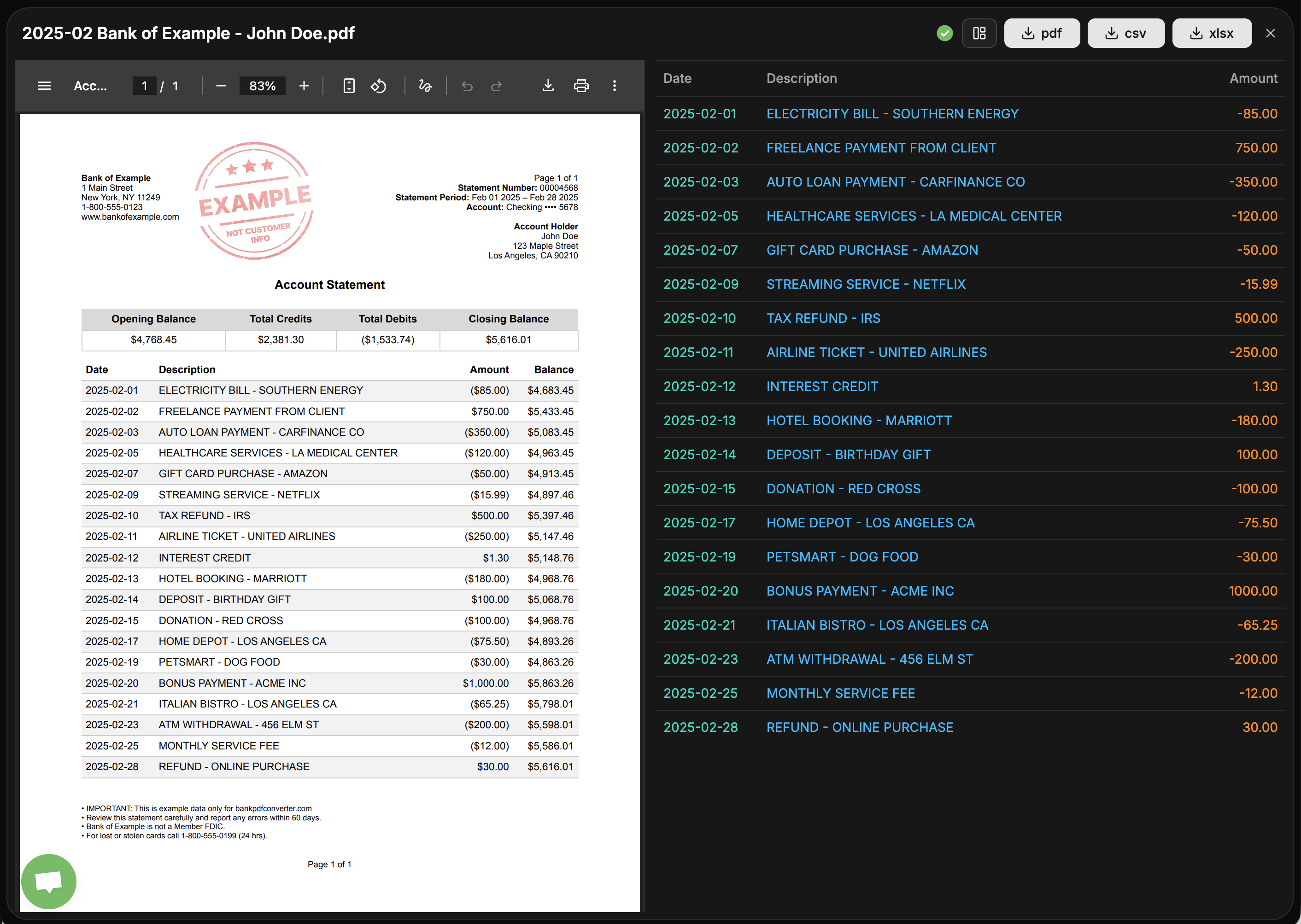
Experience the simplicity yourself by trying the demo directly on the dashboard. See how statements like "2025-02 Bank of Example - John Doe" are transformed, with options to compare the original PDF to the generated CSV or XLSX files before you export. The intuitive interface clearly tracks your conversions from queued to processing to success.
Streamline your financial workflow and turn static PDFs into dynamic data.
Click here to convert a PDF and discover the efficiency of automated financial data extraction.

AMA with Maker (0)