
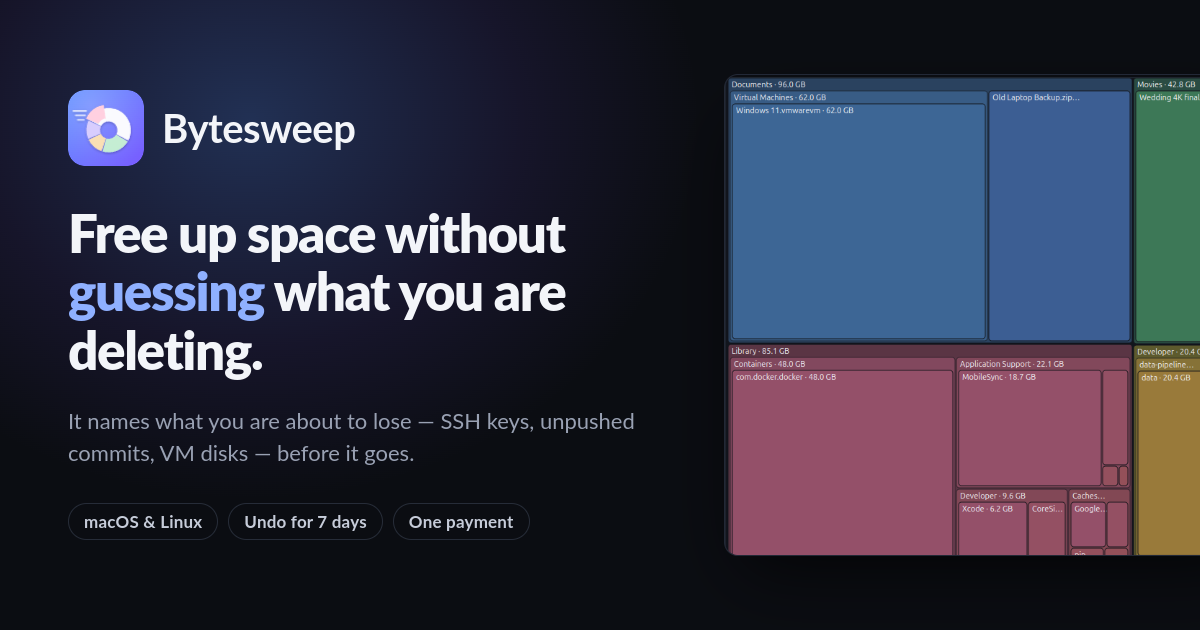
What is Bytesweep?
Core Features
- Undoable Seven Day Sweeps
- One Licence Three Platforms
- Eight Storage Views
Pricing Details
Ideal For
Detailed Description
Free up space without guessing what you are deleting. Bytesweep scans your Mac, shows exactly where the storage went — Docker, Xcode, local AI models, photos — and warns you before you remove anything you cannot get back.
Bytesweep 1.2.3 is out for macOS and Linux, and Windows is coming to the Microsoft Store. licence key, three platforms, no subscription. A single payment covers 3 computers on any mix of macOS and Linux. The 14-day free trial needs no card and no account.
✨ ~10 seconds to scan 100 GB and 2M+ files
✨ 8 views — Treemap, Sunburst, Flame, Bubbles, Mind Map, and more
✨ 1 click to sweep, and to undo it
✨ 0 bytes of your file names ever leave your device
Bytesweep scans a 264 GB home folder, renders all eight views, surfaces the cleanup it finds — and lets you undo it, making it safe to press. On a typical developer's Mac, Bytesweep sorts what it finds into three answers, not number.
🎯 Caches, build output, dependency folders, AI tool caches — rebuilt automatically the next time you need them
🎯 Downloads, old installers, simulator images, local model weights — re-obtainable, but slow, and a model you fine-tuned yourself is not
🎯 SSH keys, unpushed git history, virtual machines, photo libraries, databases an app has open — named individually, never removed without you saying so
The operating system, your home folder and Bytesweep's own restore points are refused outright. There is no button.
Every cleaner on the market claims more than it delivers. Here is the list Bytesweep is not going to pretend about. Freeing disk space is not a performance tool — a modern Mac with 40 GB free runs exactly as fast as with 400 GB free. Anyone promising a faster machine in exchange for deleting caches is selling you a feeling. Bytesweep gives you back storage, and that is all. There is no automatic mode, no scheduled deletion, no "one click to fix everything". Every removal is you ticked and confirmed. A tool with permission to read your whole disk should not also be deciding what to throw away. Bytesweep does not scan for malware and will not claim your Mac is infected to sell you an upgrade. It measures storage. Sweeps go to a restore point on the same disk and can be undone for 7 days, or however long you set — after that the space is genuinely reclaimed and the files are genuinely gone. No account, no telemetry, no analytics.
🚀 Bytesweep is featured on Product Hunt — see the launch and leave an upvote.

AMA with Maker (0)