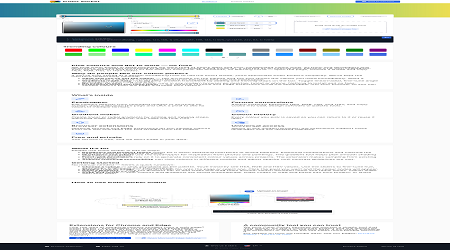
What is Color Picker?
Core Features
- Image Colour ExtractionLinear & Radial GradientsHEX & RGBA CodesGradient Preset LibraryChrome Extension Integration
Pricing Details
Ideal For
Use Color Picker as an Alternative to
Detailed Description
Color Picker is the definitive tool for designers and developers who demand precision and efficiency in their digital workflow. This powerful browser extension eliminates the guesswork from color selection, providing an intuitive and feature-rich environment for capturing, creating, and managing any color you see online or in your own images. It’s the fast, reliable partner for anyone working with color, from crafting a perfect brand palette to implementing complex CSS gradients.
Why Choose Color Picker?
✨ Effortless Color Capture: Simply hover over any pixel on a webpage to instantly get its HEX or RGBA code. Our advanced eyedropper tool ensures pixel-perfect accuracy every time.
🎯 Advanced Gradient Builder: Move beyond flat colors and create stunning linear and radial gradients with ease. Add, remove, and adjust color stops with a simple click to build your perfect gradient blend.
🖼️ Image Color Extraction: Upload any image directly by dragging and dropping it into the tool. Color Picker will analyze the image, allowing you to pick colors directly from your photos, designs, or artwork to build cohesive palettes.
📦 Gradient Presets & Trending Colours: Jumpstart your creativity with a library of beautiful, ready-to-use gradient presets. Stay inspired with a curated selection of trending colours used by the global design community.
Built in 2025 by a team of frustrated front-end developers and illustrators, Color Picker was born from a need for a tool that was both powerful and simple. We were tired of heavy applications and over-complicated interfaces, so we built something we wanted to use ourselves—a no-fuss solution that gets you from picking colours to getting to work in seconds. The tool you see today is the result of that mission, offering a seamless experience that integrates directly into your browser.
Get the Color Picker extension today and transform how you find and use color.

AMA with Maker (2)
My design workflow is mostly in Figma, will the color codes I pick with this extension copy easily so I can just paste them right in?
I love the idea of an image-to-palette feature! If I upload a photo, how exactly does the extension pull the colours out, and how many colours does it usually add to the palette?