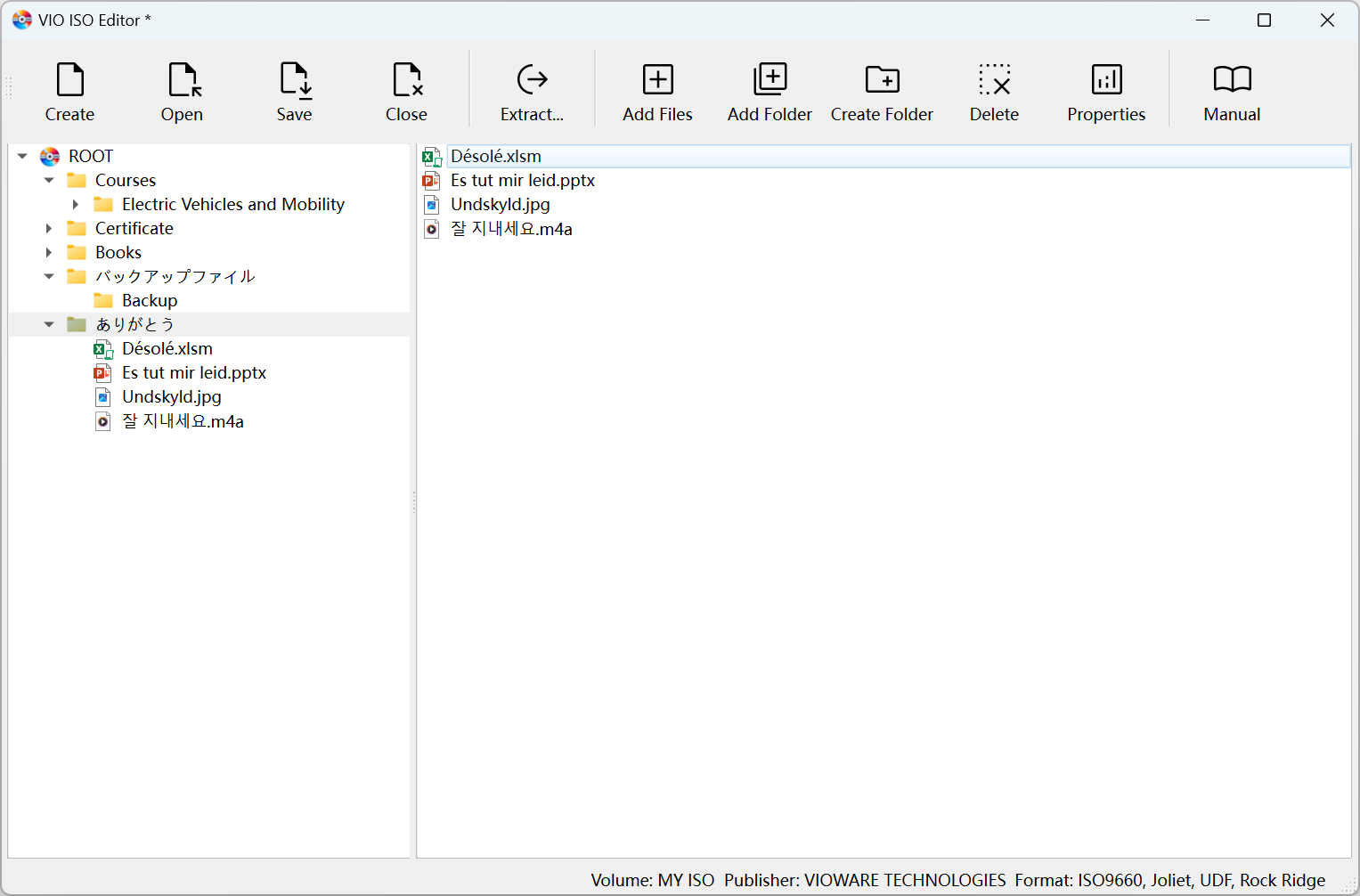
What is VIO ISO Editor?
Core Features
- Create and edit ISO images
- Cross Platform Compatibility
- File And Folder Selection
Pricing Model
Ideal For
Use VIO ISO Editor as an Alternative to
Detailed Description
VIO ISO Editor is the definitive solution for creating, managing, and mastering ISO image files on both Windows and macOS. Designed for both professionals and everyday users, it transforms collections of files and folders into universally compatible ISO archives with remarkable ease and precision. Its core strength lies in a powerful engine wrapped in an exceptionally intuitive interface, making the process of ISO creation accessible to anyone, regardless of technical expertise.
Why Choose VIO ISO Editor?
VIO ISO Editor stands out by bridging the gap between advanced functionality and user-friendly operation. It is the ideal tool for a wide range of critical tasks, from software distribution and creating bootable media to long-term data archiving and system backups. The application ensures your data is packaged into a single, pristine ISO file that maintains original directory structures and file integrity, ready for burning to disc or mounting as a virtual drive.
Key Features and Capabilities
✨ **Effortless ISO Creation:** Generate ISO images from any selection of files and folders through a simple drag-and-drop interface or a guided step-by-step process.
🎯 **Cross-Platform Reliability:** Enjoy a consistent and robust experience whether you are operating on a Windows PC or a macOS system, with output that works on any platform.
🛡️ **Secure Data Archiving:** Preserve important documents, multimedia libraries, and project data in a stable, future-proof ISO format ideal for backup and organization.
⚡ **Optimized Performance:** Built for speed and efficiency, allowing you to create large ISO files quickly without compromising system resources or stability.
The application’s streamlined workflow eliminates complexity. You can swiftly compile installation discs, create perfect digital copies of your CDs or DVDs, or consolidate extensive project data into a single, manageable file. VIO ISO Editor provides complete control over the ISO creation process, ensuring your final image meets exact specifications for compatibility and use.
Discover the simplicity and power of professional-grade ISO creation with VIO ISO Editor. Download it today and transform how you handle digital archives and distributions.

AMA with Maker (0)